





 Upcoming Events
 Event Series
 On-Demand Events



Content teams face a constant challenge: how do you keep up with the demand for fresh blog posts, social content, and video clips without sacrificing quality or burning out?
Whether you're working with webinars, podcasts, or recorded interviews, the pressure to repurpose video content into written formats intensifies when you're publishing multiple times per week.
Joslyn McIntyre with Box's content team cracked the code. By using Goldcast Content Lab to transform video content into blog posts and social assets, she sped up her production time by three times while expanding her output to include video clip creation as well. In this playbook, you'll learn her exact process for turning one video into multiple content assets without the bottlenecks.
What You'll Learn
- How to navigate between video and transcript to write authentic blog posts
- A workflow for creating and embedding video clips directly into written content without designer support
- How to create social posts from the same content to support your social team
Expected Results
- Reduce blog creation time
- Increase website content volume
- Eliminate dependencies on design teams for video creation
Step 1: Upload Video and Generate Your First Draft
Start by uploading your video content to Goldcast Content Lab. This could be a podcast episode, webinar recording, or any video asset with valuable insights. Once the video is processed, you have two options for generating your initial blog post draft.
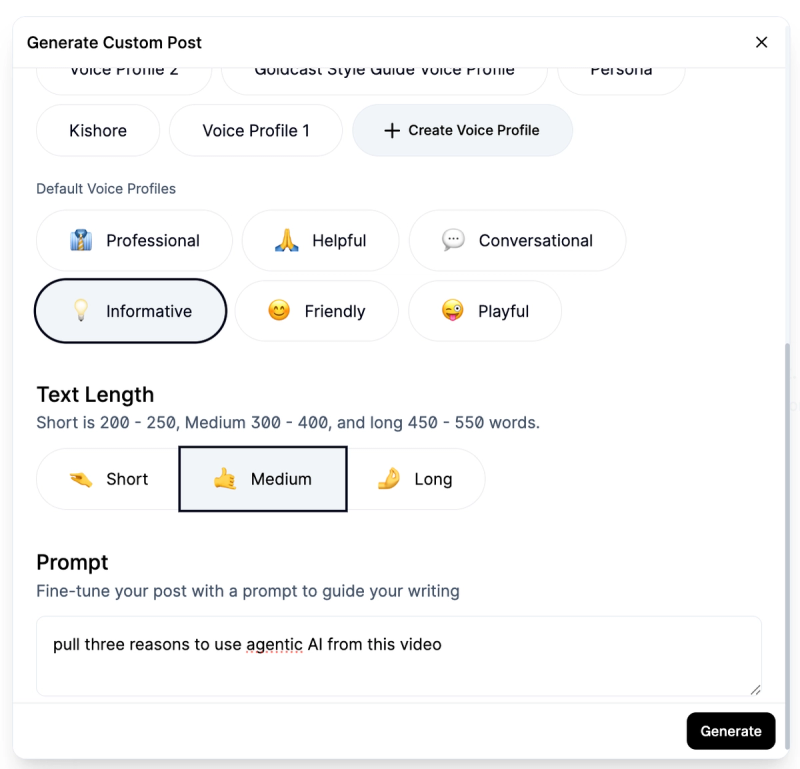
Option 1: Use the default blog post feature in Content Lab. This gives you a solid starting point. Joslyn usually switches the voice to "informative" rather than the default setting to create copy that feels more educational for B2B audiences.
Option 2: Use custom prompts for targeted content. If you know you need to highlight specific themes, you can create a custom prompt like "pull three reasons to use agentic AI from this video." This helps you align the content with your project priorities right from the start.
One of the biggest advantages of Content Lab? The learning curve is surprisingly gentle. As Joslyn puts it, "There's a lot of flexibility but it's also just logical. It's easy for me to find what I'm looking for, which is huge." She's only been using it for a few months, yet she's already mastered the workflow without any formal training or hand-holding.
Step 2: Refine Your Post Using Video and Transcript Together
Here's where Joslyn's workflow really shines. Use your first draft as scaffolding while you rebuild with your own voice and the speakers' best moments.
Have the transcript in Content Lab open alongside your draft, and the built-in search function becomes your best friend here. If you remember someone mentioned a specific key term, just search for it and jump directly to that section. No more scrubbing through full-length recordings hoping to find the right moment.
As you write, you have access to both the transcript and the video simultaneously. This is huge. A flat text transcript doesn't capture tone, enthusiasm, or those moments when a guest laughs while making a point. But when you can watch them say it while reading along, you immediately know what's worth highlighting and how to capture their voice authentically.
Joslyn rewrites extensively, using the transcript to pull in the speakers' actual insights and phrasing. The video helps her write it in a way that feels true to the conversation. This approach lets your voice shine through, but you're working three times faster because you can jump around efficiently and know exactly where to find what you need.
Joslyn puts it best: "I can't stress enough how helpful a tool Content Lab is when it comes to trying to turn video into writing. The ability to skip around and really easily go to different parts of the video and then pull out writing and clips, I haven't gotten that with any other tool."
Step 3: Create and Embed Video Clips (No Designer Required)
This is where Content Lab enabled a new workflow for Joslyn. Before, she would have to submit requests to Box's design team and wait days in their queue to get a few video clips created. Now she does it herself in minutes.
For blog posts, Joslyn typically embeds two to three teaser clips. Think of the blog posts and the videos as two distinct pieces of content that complement each other. Someone could choose to read just the blog post and get everything they need, or they could watch the full video and have a complete experience. The clips bridge the two.
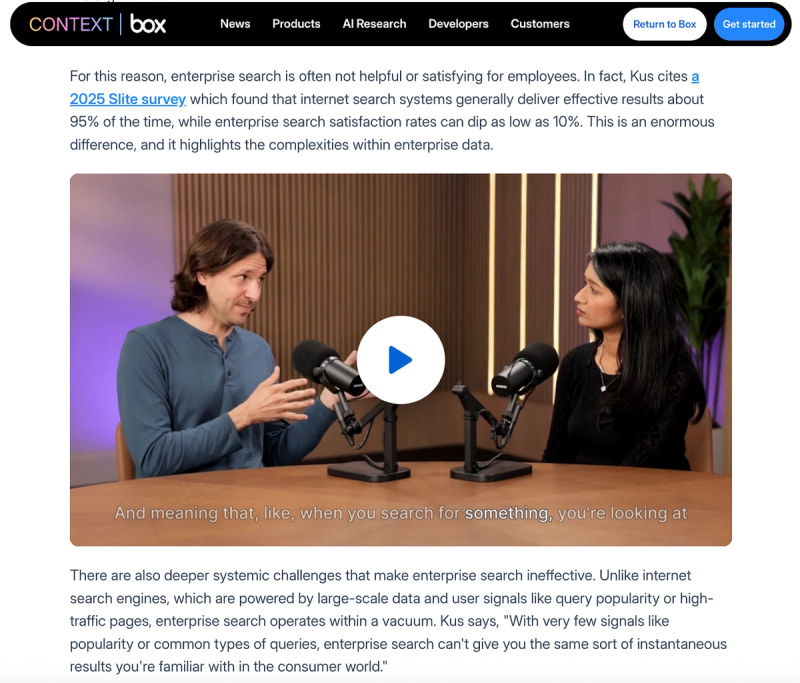
When selecting clips, although you do have AI-suggested clips available, you also have the flexibility to manually select exact moments you want to highlight. Simply select the section of transcript you want, and Content Lab will create the clip for you to embed directly in your blog post. The whole process takes minutes instead of days. Your design team will thank you for taking this off their plate.
Joslyn chooses these moments based on two criteria: what they're saying and how they're saying it. Look for moments with energy, laughter, or genuine enthusiasm. These human moments make people think, "Oh, this seems interesting. I should probably check out the full version."
✨ Bonus: Draft Social Posts While You're At It
Since you're already deep in the content, take five extra minutes to draft social posts for your social media team. Joslyn adds these right in the same Word doc with her blog post. By providing draft copy and suggesting which clips to use, she saves the social team from starting from scratch.
Results
By implementing this workflow, Joslyn and the Box Content team achieved:
- 3x faster content production: what used to take a week now takes 2-3 days
- Significantly increased content volume: publishing multiple pieces weekly to keep pace with their content calendar
- Eliminated design bottlenecks: content goes live faster with embedded video clips instead of waiting days in the design queue
- Better social team support: ready-to-use draft posts and suggested clips that didn't exist before
During Box's annual conference, BoxWorks, the team was able to publish substantially more content leading up to the event because their production process was so much more efficient.
The key insight? You don't need to choose between AI efficiency and human quality. Use AI to handle the structural work and speed up navigation, but keep yourself in the loop to ensure authenticity, strategic thinking, and that natural voice that makes content actually worth reading.
Reduce Content Production Time
Transform video content into blog posts easily